You step off a night flight, the arrivals hall Wi-Fi demands a code sent by text, and the driver waiting outside is messaging a photo of where he has parked. It is a small problem that can define your first hour in a new country, and it is entirely avoidable.
Getting online abroad comes down to three tools: a local SIM, an eSIM, or a travel router. Most travellers need one. Plenty of long-term nomads quietly use two. Here is what each does well, where it irritates, and how to choose without overthinking it.
Start with what you actually need
"Internet" is not one thing. A connection good enough for maps and messaging is not good enough for a two-hour client call. A fast download speed tells you nothing about whether the network will hold up at seven in the evening when everyone in the building starts streaming.
Before you compare products, answer four questions:
- How many devices need to be online at once?
- How long are you staying, and will you cross borders during the trip?
- Do you need a local phone number, or is data enough? Bank verifications, delivery apps and some booking systems want a number that can receive texts.
- Does your income depend on a stable connection, or is this mostly holiday browsing?
Those answers do most of the deciding for you. Everything below is just filling in the detail.
Local SIM cards: cheapest data, most admin
Buying a SIM in the country you are visiting is still the best value per gigabyte in most of the world. You walk into a carrier shop at the airport or in town, hand over your passport, and leave with a working number. It is also the option that asks the most of you.
Registration rules vary enormously. Some countries sell prepaid SIMs from corner shops with no paperwork at all; others require ID, fingerprinting or a form the shop assistant fills in by hand. These rules change, sometimes quickly, so check the current requirement before you fly rather than assuming last year's experience still applies.
Three practical things to know before you go local:
- Your phone must be unlocked. If it is tied to a contract, a local SIM will simply refuse to work.
- Dual SIM is your friend. Keep your home SIM active for bank codes and two-factor texts, but switch off data roaming on it. Roaming charges on a forgotten line rack up quietly.
- Top-ups can be fiddly. Some carrier apps only accept local payment cards, so buy a slightly larger bundle than you think you need, or find a physical shop to add credit.
Local SIMs suit stays of a month or more, heavy data users, and anyone who needs a local number for everyday life. For a ten-day holiday, the queue at the counter is rarely worth it.
eSIM: the easy option for most trips
An eSIM is a digital profile rather than a piece of plastic. You buy it online before you travel, scan a QR code, and the plan sits on your phone until you switch it on when you land. No shop, no queue, no tiny card to lose in a hotel room.
For trips of a few days to a few weeks, this is the option most people should reach for first. Buying before you fly means you are connected the moment the plane doors open, which matters far more than it sounds when you are tired and need a taxi.
Read the small print, though. The details that catch people out:
- Device compatibility. Not every phone supports eSIM, and some models sold in certain regions do not. Check in your phone's settings under SIM or mobile data before you buy.
- Data-only plans. Many eSIMs come with no phone number, so anything that needs to receive a text will not work on that line.
- Hotspot restrictions. A few plans block tethering, which rules out sharing your connection with a laptop.
- Country lists. Regional plans often exclude a handful of countries. If your itinerary says "Europe", check that the specific countries you are visiting are actually included.
One more thing worth knowing: many eSIMs cannot be transferred to a new handset. If your phone dies or is stolen mid-trip, you buy again.
Travel routers: worth the weight when you carry several devices
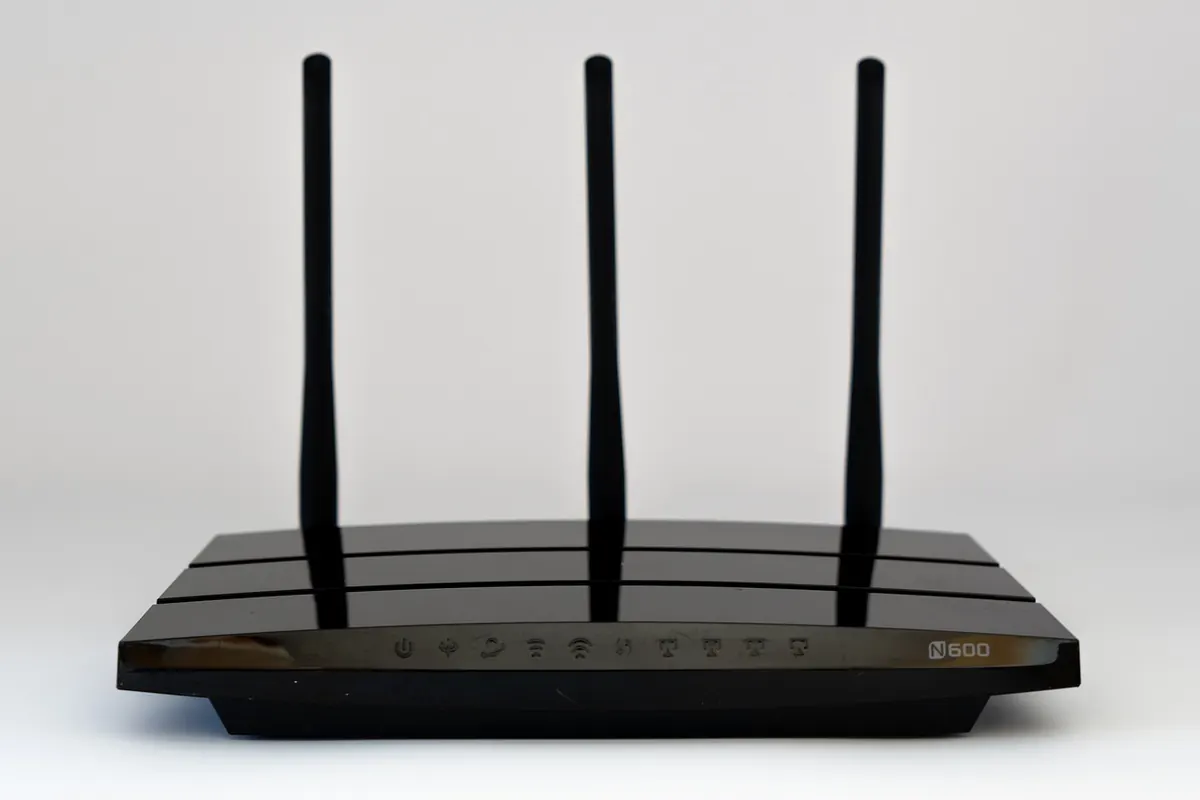
A travel router is a small box that takes one internet source and shares it. That source can be a SIM card, a hotel's Wi-Fi, or an ethernet cable in an apartment. It then broadcasts its own network, and everything you own connects to that.
This sounds like overkill until you meet the situations where it is not:
- Hotel Wi-Fi that allows one device per room, or charges per device.
- A captive portal that logs you out every few hours and needs re-clicking on every phone, tablet and laptop.
- Working from cafes and co-working spaces where you want a private network and a VPN running once, for everything, rather than on each device.
- Putting a local SIM in the router so your phone keeps its home number.
The trade-offs are honest ones. It is another device to charge, another SIM plan to manage, and the first setup takes longer than the instructions suggest. After that it is largely plug and play. If you travel with a laptop and a phone only, an eSIM plus tethering is usually enough. If you work from a laptop daily, travel as a couple, or stay in apartments with awkward Wi-Fi, a router earns its place in the bag.
The cost picture, honestly
Rather than chase exact prices, which shift constantly and vary wildly by country, think in terms of trade-offs:
- Local SIM: lowest cost per gigabyte, highest time cost. Best for long stays and heavy use.
- eSIM: mid-range pricing, almost no setup. Best for short trips and multi-country hops.
- Home roaming: highest cost per gigabyte, zero effort. Fine for a weekend if your plan already includes it.
- Travel router: a one-off hardware cost plus whatever SIM plan you put in it. You are paying for convenience and shared connections.
Two habits save money regardless of which route you pick. First, buy a smaller bundle than your instinct suggests and top up if needed; most people overestimate their data use on holiday. Second, keep a cheap backup. A few gigabytes on a second provider has rescued more deadlines than any single "unlimited" plan. Roaming terms and fair-use limits change, so check your provider's current terms before you rely on them, especially if work depends on it.
A workable default setup
If you want one answer: carry an eSIM as your main connection, keep your home SIM active for verification texts with data roaming switched off, and add a local SIM when you settle somewhere for more than a month. Long-term nomads who work on the road often put that local SIM in a travel router and treat the eSIM as the backup.
Before you leave, do three small things. Screenshot your eSIM QR code and save it in a notes app, in case you need to reinstall. Download offline maps for the region. Test that your phone can switch between two active lines without losing data, ideally at home rather than in an airport.
You do not need the perfect setup, just one that works when you land. Buy the easy option for the first 48 hours, then sort out the cheaper one once you have unpacked.
That approach removes the pressure. Connectivity stops being a problem to solve on arrival and becomes something you arranged calmly a week earlier, which is how most travel problems are best handled.
Photo: USA-Reiseblogger / Pixabay